Business Growth Calculator: Project Revenue and Find Your Growth Rate
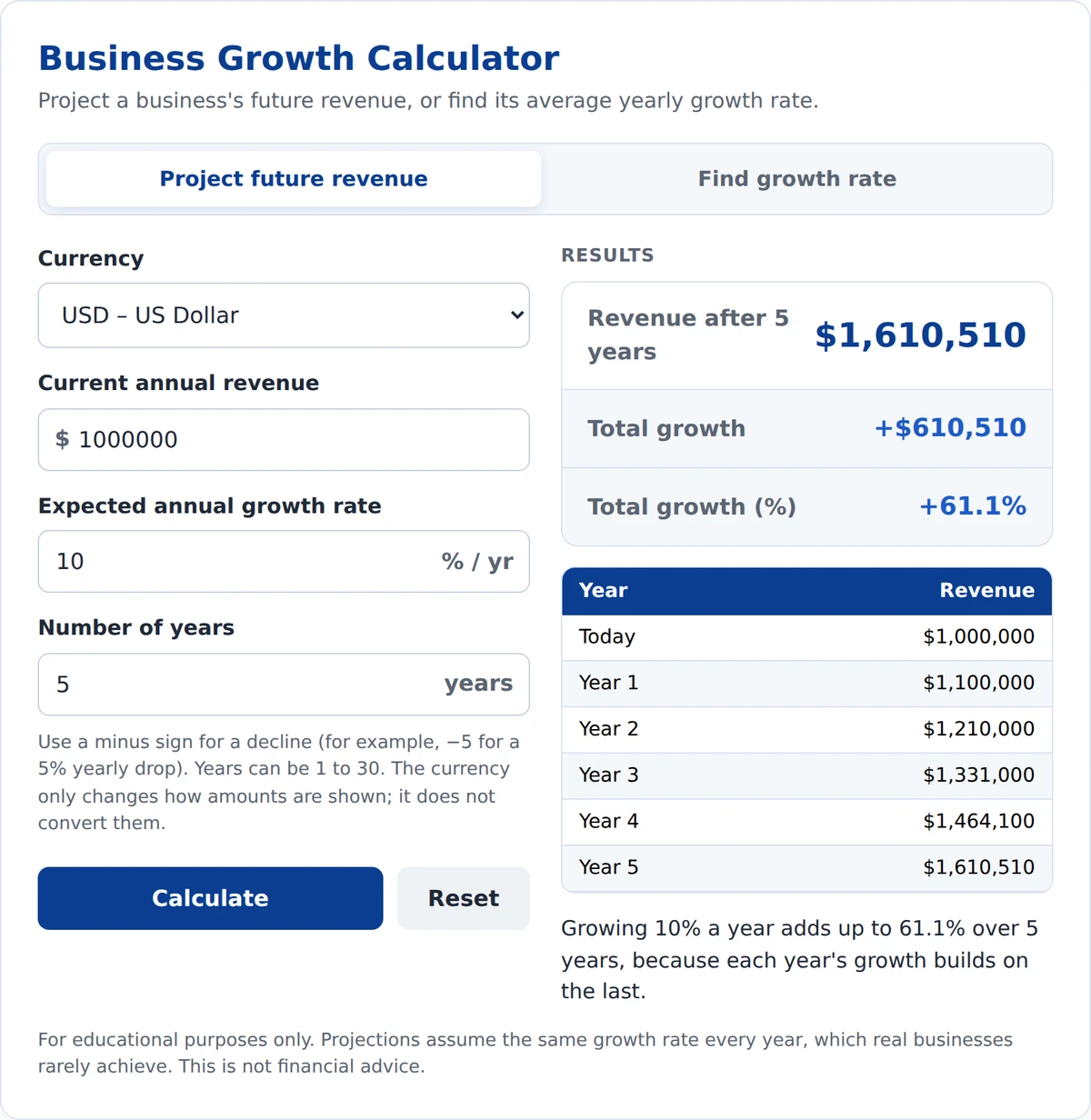
The Business Growth Calculator shows how much a business's revenue could grow over time, or how fast it has grown in the past. Enter today's revenue, a yearly growth rate, and a number of years to project future revenue. Or switch to "Find growth rate" to calculate the average annual growth rate (CAGR) between two revenue figures.
Project a business's future revenue, or find its average yearly growth rate.
Use a minus sign for a decline (for example, −5 for a 5% yearly drop). Years can be 1 to 30. The currency only changes how amounts are shown; it does not convert them.
Results
| Year | Revenue |
|---|
For educational purposes only. Projections assume the same growth rate every year, which real businesses rarely achieve. This is not financial advice.
How to Use the Business Growth Calculator
To project future revenue:
- Currency: Choose the currency you want results shown in. It only changes the symbol; it does not convert amounts.
- Current annual revenue: Enter the business's revenue for the last full year.
- Expected annual growth rate: Enter how much you expect revenue to grow each year. Use a minus sign for a decline.
- Number of years: Enter how far ahead to project, from 1 to 30 years.
To find a past growth rate: Click "Find growth rate," then enter the starting revenue, the ending revenue, and the number of years in between.
Results update as you type.
How Is Business Growth Calculated?
- Future revenue = current revenue × (1 + growth rate)years
- Average annual growth rate (CAGR) = (ending revenue ÷ starting revenue)1 ÷ years − 1
- Total growth (%) = (ending revenue − starting revenue) ÷ starting revenue × 100
Example: A business with $1 million in revenue grows 10% a year for 5 years. Its revenue reaches $1,610,510, an increase of 61.1%. That's more than 5 × 10% = 50%, because each year's growth builds on the year before.
Why Does Growth Speed Up Over Time?
Growth compounds. A 10% rise on $1 million adds $100,000 in year one, but 10% of $1.46 million adds about $146,000 in year five. The rate stays the same, but the dollar gain grows every year. The same works in reverse: a steady decline shrinks revenue faster than it looks.
Real Examples: Costco and Nvidia
| Company | Starting revenue | Ending revenue | Average annual growth (CAGR) |
|---|---|---|---|
| Costco | $166.8 billion (fiscal 2020) | $275.2 billion (fiscal 2025) | About 10.5% a year |
| Nvidia | $16.7 billion (fiscal 2021) | $215.9 billion (fiscal 2026) | About 67% a year |
Costco grew total revenue by about 65% over five years, from $166.8 billion to $275.2 billion (Costco 2020, Costco 2025). That works out to steady growth of about 10.5% a year.
Nvidia grew revenue about 13 times in five years, from $16.68 billion to $215.9 billion, driven by demand for AI chips (Nvidia 2021, Nvidia 2026). That's an average of about 67% a year, a pace very few companies ever reach.
You can check both results in the "Find growth rate" tab above.
Where Can You Find Revenue Figures?
- Your own business: Use total sales from your income statement or tax returns for each full year.
- Public companies: Use the yearly revenue in earnings releases or annual reports (Form 10-K), free on SEC EDGAR.
New to these documents? Start with our guide on how to read an earnings report.
What the Business Growth Calculator Can and Cannot Tell You
It can show where revenue could be if a growth rate holds, and how fast revenue grew on average between two points in time.
It cannot:
- Predict real growth. Actual revenue rises and falls from year to year.
- Show profit. Revenue can grow while profit falls. To see how revenue and cost changes affect profit, try our business news impact calculator.
- Account for inflation, so part of any growth may simply be higher prices.
- Tell you whether a stock is a good investment.
Frequently Asked Questions
What does a business growth calculator do?
A business growth calculator projects how much revenue could grow at a steady yearly rate, or finds the average yearly growth rate between two revenue figures. You enter revenue, a growth rate or ending revenue, and a number of years. It then shows the result in dollars and percent.
What is CAGR?
CAGR stands for compound annual growth rate. It is the steady yearly rate that would take revenue from a starting value to an ending value over a set number of years. For example, $1 million growing to $1.61 million in 5 years is a CAGR of 10%.
Why isn't 10% growth for 5 years the same as 50%?
Because growth compounds. Each year's 10% is calculated on a larger number than the year before. So 10% a year for 5 years adds up to about 61%, not 50%. The longer the period, the bigger the gap between simple and compound growth.
Can I use a negative growth rate?
Yes. Enter a minus sign, such as −5 for a 5% yearly decline. The calculator will show how much revenue would shrink over the years you choose. In the "Find growth rate" tab, a lower ending revenue automatically gives a negative growth rate.
Is a projected growth rate guaranteed?
No. The calculator assumes the same growth rate every year, but real revenue changes with demand, competition, and the economy. Use the result as a planning estimate, and compare it with a business's actual results over time.
Final Takeaway
Small differences in growth rate add up to big differences over time. Use the calculator above to test different rates and time frames, and check real revenue figures before relying on any projection.