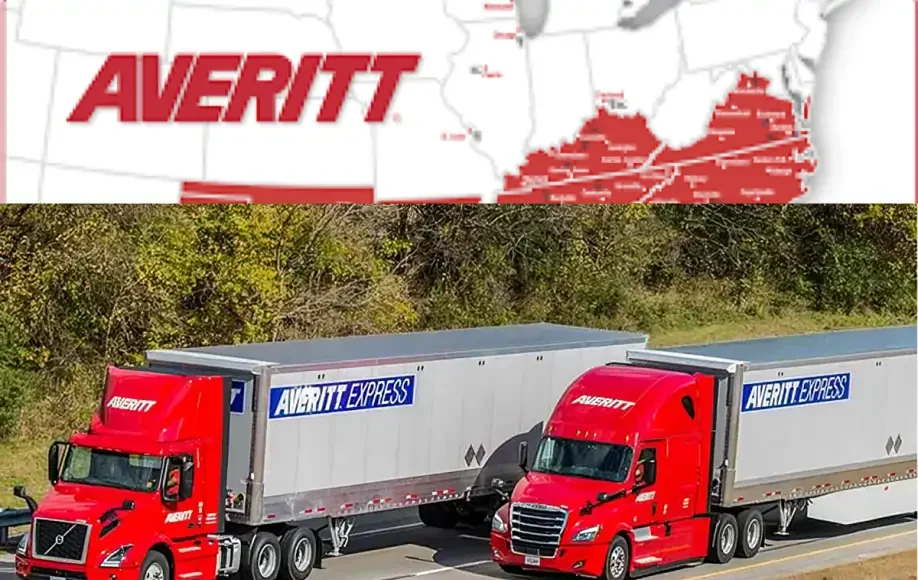
When a freight shipment is on the way, you want to know exactly where it is and when it will arrive, especially if a dock crew, a customer, or a production line is waiting on it.
Averitt makes that fairly easy. You can track most shipments online with a PRO number, and business customers can also search by bill of lading (BOL), purchase order (PO), and other references.
This guide explains how Averitt Express tracking works, which numbers to use, what each status means, and how to fix the four most common tracking problems.
Quick answer: To track an Averitt shipment, go to Averitt’s online tracking tool, choose PRO/BOL, and enter your PRO number. You can paste several PRO numbers at once, one per line. Searching by BOL requires an Averitt account login. For help, call Averitt customer service at 1-800-AVERITT (1-800-283-7488) or email [email protected].
Who Is Averitt Express?
Averitt is a freight transportation and supply chain company headquartered at 1415 Neal Street in Cookeville, Tennessee. It has been operating since 1971 and today runs more than 100 facilities, according to its official website.
Its main services include:
- LTL (less-than-truckload) freight.
- Truckload and dedicated fleet services.
- Distribution and fulfillment, including warehousing.
- Integrated and global solutions, such as international ocean and air freight, expedited shipping, brokerage, intermodal, customs clearance, and port logistics.
- Cross-border and final-mile delivery.
Most people searching for “Averitt Express tracking” are tracking an LTL shipment, so that’s the main focus of this guide.
Who uses Averitt tracking?
- Shippers, such as manufacturers, distributors, and online sellers, checking that freight left on time.
- Receivers, such as retailers and warehouses, planning dock appointments and staffing.
- Logistics managers and 3PLs monitoring many shipments at once.
- Small businesses shipping pallets for the first time. If you’re also sending inventory to Amazon warehouses, our guide to FBA shipping and rapid express freight explains how that process works.
Which Number Should You Use?
Averitt’s tracking tool lets you search in several ways:
| Search type | What it is | Where to find it | Login needed? |
|---|---|---|---|
| PRO number | Averitt’s main ID for your shipment | Bill of lading, PRO sticker on the freight, delivery receipt, or your shipping confirmation | No |
| BOL number | The bill of lading number the shipper created | Your bill of lading | Yes |
| PO number | The purchase order number for the order | Your order paperwork | Check the tool |
| Date | Shipments by pickup or delivery date | Useful for regular shippers | Check the tool |
| Loads in transit | All your active shipments | For account holders | Check the tool |
| International | Ocean, air, and global shipments | Your international booking paperwork | Check the tool |
| Carton ID, Store ID | Retail and distribution references | Retail shipping labels and paperwork | Check the tool |
Tip: If you’re the receiver and don’t have a PRO number, ask the shipper for it. It’s the fastest way to find your freight.
How to Track an Averitt Shipment by PRO Number
What is a PRO number?
A PRO number is the unique number a freight carrier assigns to a shipment. Averitt uses it to identify your freight at every step, from pickup to delivery. It’s usually printed on the bill of lading and on a sticker attached to the freight.
Older versions of this article said PRO stands for “Progressive Rotating Order.” That explanation is widely repeated online, but there’s no official definition, so it’s best to think of it simply as your shipment’s tracking number.
Step-by-step
- Open Averitt’s LTL tracking page.
- Select PRO/BOL as the search type.
- Enter your PRO number. To track several shipments, enter one PRO number per line.
- Run the search.
- Review the status, location, and delivery details for each shipment.
You can also start from the “Track by PRO/Order” option on averittexpress, which works for any Averitt service.
Tracking by BOL or PO number
To search by bill of lading, log in to your Averitt account first. The tool asks you to sign in before it accepts BOL searches. PO, date, and other reference searches are listed on the same tracking page.
Viewing shipping documents
Averitt also has a document viewer where you can look up documents such as bills of lading and delivery receipts. This is useful if you need proof of delivery for a claim or an invoice dispute.
What Averitt Tracking Statuses Mean
Exact wording can vary, but these are the stages you’ll typically see for LTL freight:
| Status | What it usually means | What to do |
|---|---|---|
| Picked up | Averitt has collected the freight from the shipper | Nothing yet |
| In transit | The freight is moving between terminals | Check the estimated delivery date |
| At terminal | The freight is at an Averitt facility, often for sorting or loading onto another truck | Normal for LTL; check again later |
| Out for delivery | The freight is on a truck heading to the receiver | Make sure someone can receive it |
| Delivered | The freight has been delivered and signed for | Inspect it and note any damage on the delivery receipt |
| Delayed or exception | Something is holding the shipment up, such as weather, an address problem, or an appointment issue | Contact Averitt with your PRO number |
Why LTL tracking looks different from parcel tracking
LTL shipments share trailers with freight from other shippers. A pallet may go from the pickup terminal to one or more service centers before the final delivery truck. That’s why you may see “at terminal” more than once, and why updates come at each handoff rather than every few hours like a parcel.
4 Common Averitt Tracking Problems and How to Fix Them
1. “Tracking number not found”
Common causes: a typo, using the wrong number, or searching too soon after pickup.
Fix:
- Check every digit, and remove spaces or dashes.
- Make sure you’re using the PRO number, not your order number or invoice number.
- If the shipment was just picked up, wait a few hours and try again.
- If you only have a BOL number, log in to search by BOL.
2. Status isn’t updating
Common causes: the freight is sitting at a terminal waiting to load, or it’s moving on a long linehaul run between terminals.
Fix:
- A day without updates is often normal for LTL, especially over weekends and holidays.
- If nothing changes for more than two business days, or the delivery date passes, call customer service with your PRO number.
3. Marked “delivered,” but you don’t have it
Fix:
- Check with others at your location, such as reception, the warehouse, a neighbor, or the loading dock.
- Look up the delivery receipt in the document viewer to see who signed and where.
- Contact Averitt customer service right away with your PRO number.
- If the freight is truly missing, ask the shipper about filing a freight claim.
4. Invalid PRO number
Fix:
- Confirm the number with the shipper, who will have it on the bill of lading.
- Check whether another carrier handled part of the trip. If so, you may need that carrier’s tracking number.
- For international, final-mile, or brokered shipments, try the relevant search type on the tracking page.
Averitt Tracking Tools and Technology
- Online tracking tool: PRO, BOL, PO, date, and in-transit searches in one place.
- E-notifications: The tracking tool includes an E-Notification option for status alerts by email.
- Document viewer: Bills of lading and delivery receipts online.
- Averitt Connect: A free multicarrier transportation management system (TMS) for shippers who manage freight across several carriers.
- Mobile access: The tracking pages work in a mobile browser, so you can check status on your phone.
For high-volume shippers, ask your Averitt sales rep about connecting tracking data directly to your own systems.
How to Contact Averitt Customer Service
| Method | Details |
|---|---|
| Phone | 1-800-AVERITT (1-800-283-7488) |
| [email protected] | |
| Headquarters | 1415 Neal Street, Cookeville, TN 38501 |
| Local terminal | Listed on Averitt’s website; useful for delivery appointments and pickup questions |
Have your PRO number ready when you call, along with the shipper and consignee names and the pickup date. Check Averitt’s website for current support hours before you call.
Tips for Smoother Averitt Tracking
- Save the PRO number as soon as freight is picked up, and share it with the receiver.
- Turn on e-notifications so you don’t have to check manually.
- Use multi-PRO search when you have several shipments on the go.
- Fill out the BOL completely, with accurate addresses, contact names, phone numbers, and any accessorial services like liftgate or appointment delivery. Most delivery delays start with missing details.
- Inspect freight on delivery and note any damage on the delivery receipt before signing.
- Budget for freight as a real cost. Shipping fees, accessorial charges, and claims all add up. Our guide to the cost to start a business covers how to plan for costs like these.
Is Averitt Express Tracking Reliable in 2026?
For most shippers, yes. Averitt’s tracking tool covers its main services, accepts multiple PRO numbers at once, and offers BOL, PO, and document lookups for account holders. Alerts and the free Averitt Connect TMS add convenience for frequent shippers.
The main limits are typical of LTL freight: updates come at each terminal handoff rather than in real time, and some searches need an account. When in doubt, a quick call with your PRO number is usually the fastest fix.
FAQs About Averitt Express Tracking
How do I track an Averitt shipment?
Go to Averitt’s online tracking tool, choose PRO/BOL, and enter your PRO number.
Where do I find my Averitt PRO number?
On the bill of lading, the PRO sticker on the freight, the delivery receipt, or the shipping confirmation from the shipper.
Can I track Averitt by BOL number?
Yes, but you need to log in to your Averitt account first.
Can I track more than one Averitt shipment at once?
Yes. Enter several PRO numbers, one per line.
What is Averitt’s customer service number?
1-800-AVERITT (1-800-283-7488). You can also email [email protected].
Why isn’t my Averitt tracking updating?
LTL freight often waits at terminals between moves, so gaps of a day are common. If there’s no update for more than two business days, call customer service.
Where is Averitt Express based?
Cookeville, Tennessee, at 1415 Neal Street.
How do I get proof of delivery from Averitt?
Use the document viewer on Averitt’s website to look up the delivery receipt, or ask customer service.
Also read:
- FBA Shipping Rapid Express Freight | 9 Best Benefits Of FBA
- IronmartOnline Reviews Exposed | 7 Must-Know Buyer Move
- Betechit.com Contacts Failed? | 5 Bold Steps to Take Now
This guide is for general information and isn’t affiliated with Averitt. Tracking tools, contact details, and services can change, so confirm details on Averitt’s website.